How do I automate employee onboarding or offboarding as tickets in Zendesk?
Turn every new hire or leaver into a ticket that automatically spins up all the tasks and subtickets involved, IT setup, accounts, equipment and training, each assigned to the right team. With SweetHawk Tasks and Subtickets nothing is missed, and HR sees the whole process on one parent ticket.
How to do it with Tasks and Subtickets
- In the Tasks and Subtickets app, build ticket templates for each team (IT, facilities, HR), choosing which fields copy from the parent.
- Create a task list, or a phased task list if steps depend on others, and define a subticket on each task using those templates.
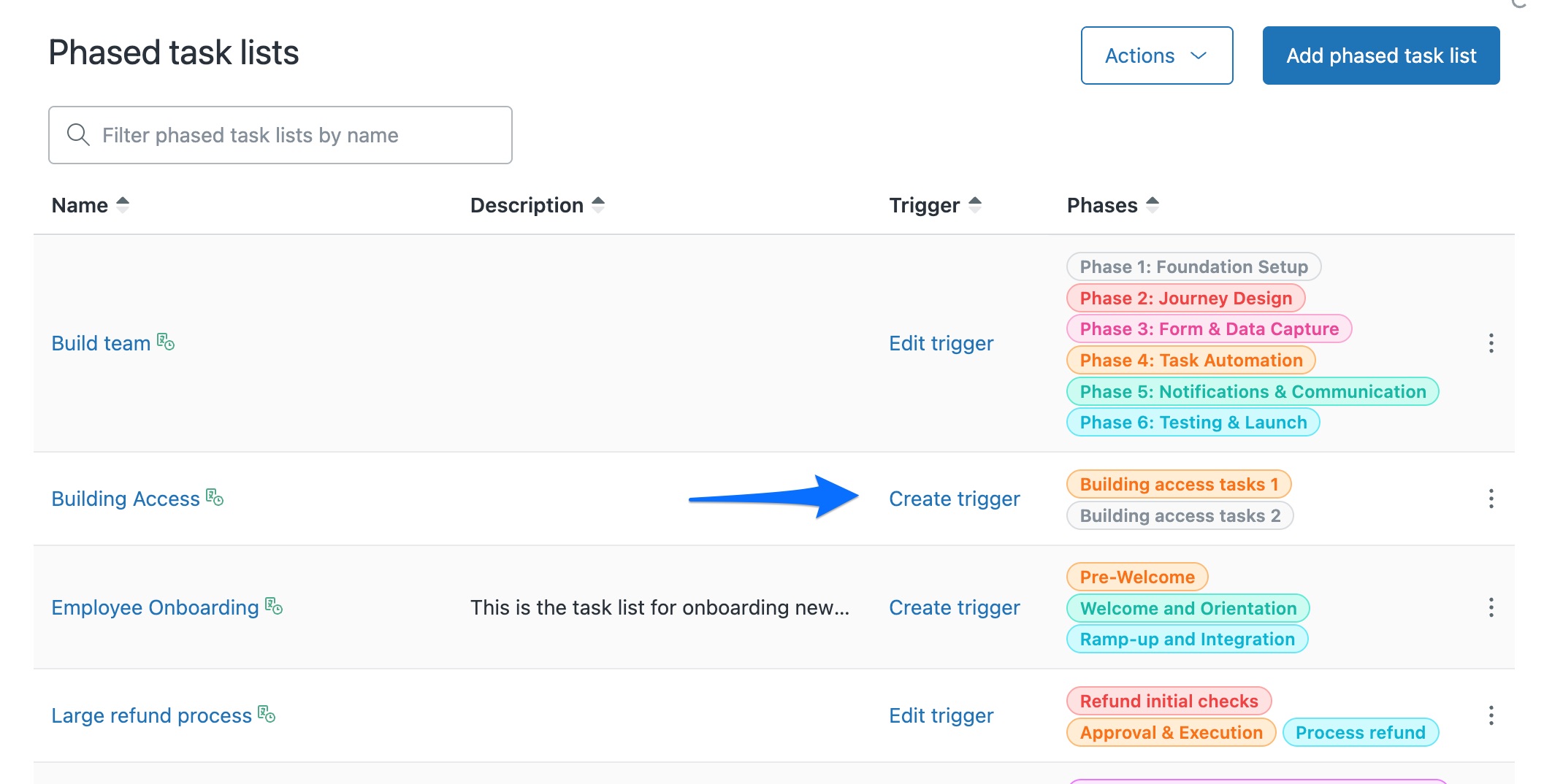
- Save the list, then in the main list of task lists (not inside a list's settings), click Create trigger in the Trigger column so the whole list is added automatically when an onboarding request comes in, such as a specific form or tag.
- Each team receives its subticket and works it independently, while the parent tracks completion.
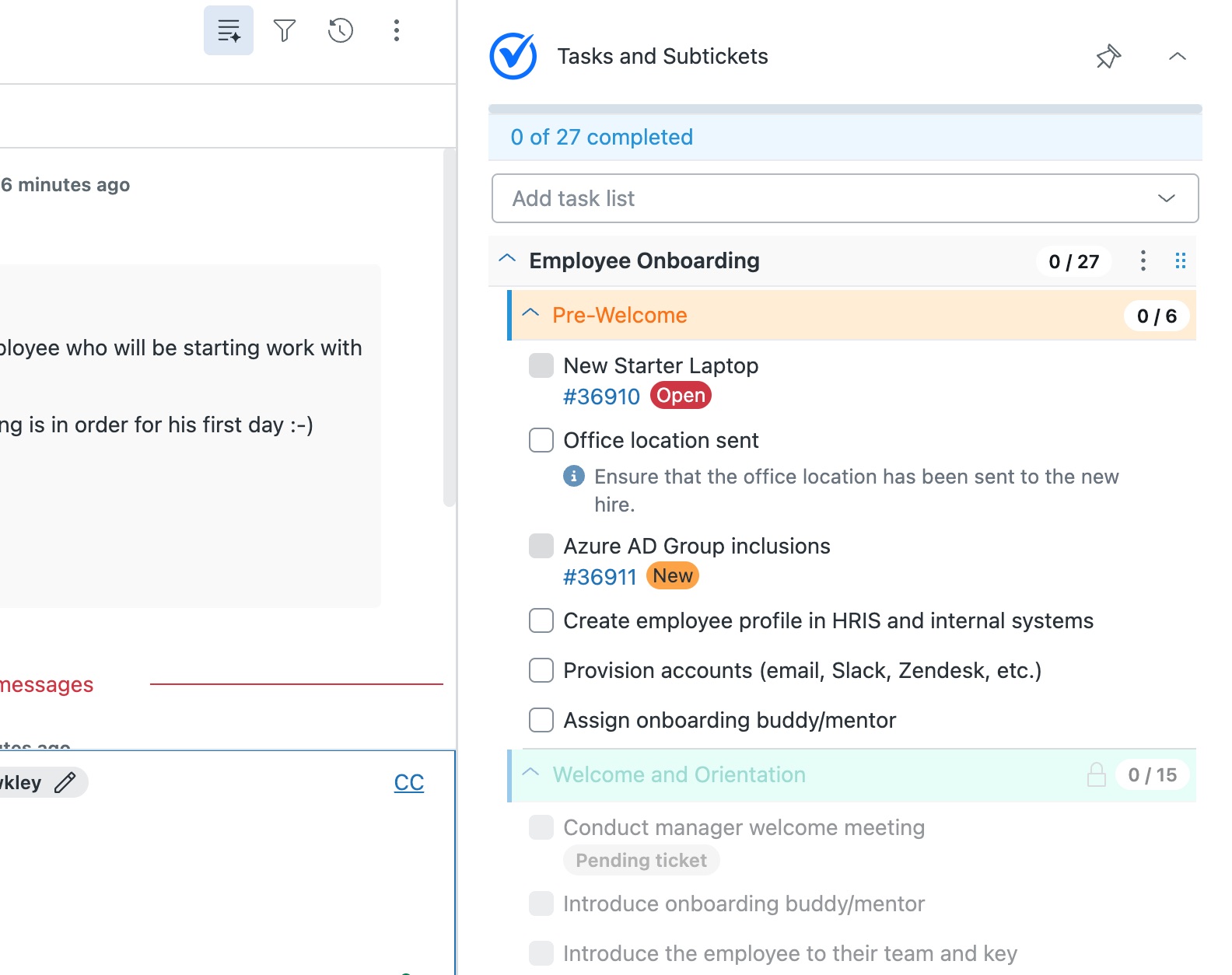
- Turn on Required so the onboarding ticket cannot be solved until every step is done.
Onboarding is the classic case, because it touches many teams and every missed step is felt on someone's first day. The same pattern works for offboarding, where a missed step, such as an account left active, costs even more.
The quickest way is the SweetHawk Suite: one click installs Tasks & Subtickets and the rest of the suite into your account, with a free trial and no credit card. You can also install Tasks & Subtickets on its own from the Marketplace.