Zendesk approval workflows
Structured approvals on every ticket, by email, Slack, or portal, with dynamic approvers, thresholds, deadlines, and a full audit trail.
Zendesk approval workflows that chase themselves
Stop chasing approvals over email. Approve brings structured, auditable approval workflows to every ticket, without forcing your approvers into Zendesk.
- Approvers without agent seats: act from Slack, email, or a branded web portal.
- Slack & email approvals: one-click, logged in the ticket audit trail with channel.
- Microsoft Teams notifications: a Zendesk action flow messages each approver a link to their request.
- Multi-step chains: sequential, parallel, or any mix.
- Dynamic approver routing: pulled from ticket or user/org custom fields.
- Approval thresholds: "any two of five directors" before a step passes.
- Conditional routing: branch by amount, risk, region, or role.
- Deadlines & escalation: auto-escalate, decline, or remind on no response.
- Trigger-initiated approvals: qualifying tickets start the flow automatically.
- Branded portal & emails: your logo, colors, optional custom hostname.
- Custom button labels: "Authorize", "Sign off", "Grant access" per definition.
- Visual approval timeline: see where the approval is stuck on every ticket.
- Works together with other apps: initiate approvals from other apps and trigger other apps when approval status changes →
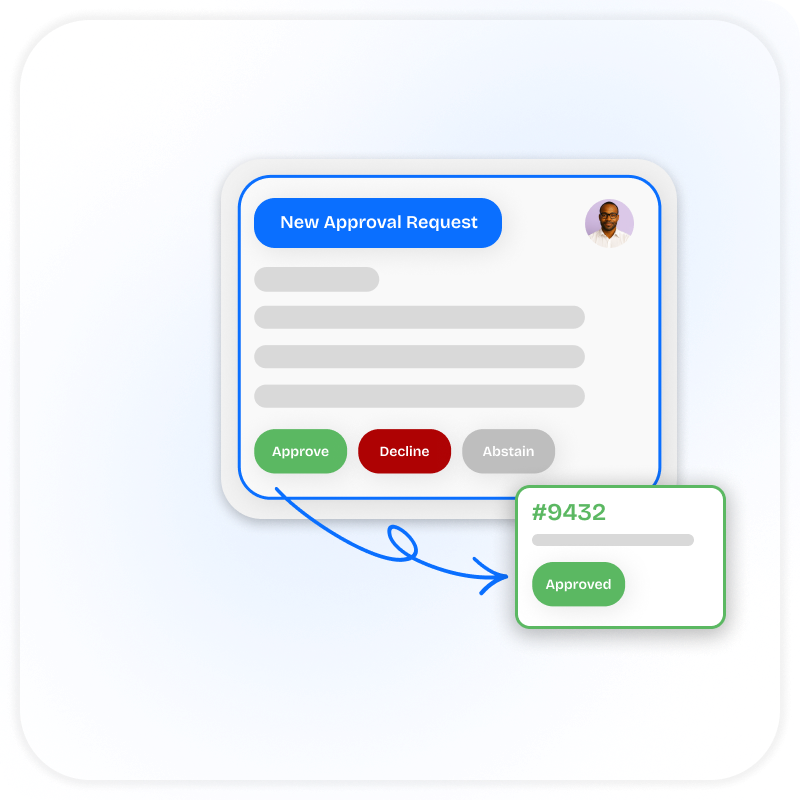
Transparent, auditable, and secure
Every decision is captured on the ticket: who approved, declined, or abstained; when; from where (Slack, email, portal); and any comment they left. SOX, ITIL, HIPAA, and internal policy auditors get a reconstructable history without a separate log pipeline. Disputes resolve by reading the ticket instead of reconstructing the chain from email.
- Complete audit trail: decision, timestamp, channel, comment
- Approval comments attached to the ticket
- Escalation on non-response for every step
- Custom approval templates per team
- Works with Zendesk triggers and automations
"Reviewed and approved. All documentation looks correct."
"Budget not available this quarter. Please resubmit Q2."
SweetHawk Approve vs Zendesk Approvals
Zendesk now ships a native Approvals feature. Here is how it compares to SweetHawk Approve for multi step workflows, dynamic approvers, timeouts and escalation, and approvals that reach people outside Zendesk.
Feature comparison accurate as of 30 July 2026, based on generally available Zendesk functionality.
1. Zendesk external approvers require Customer Service Suite Professional and above, or Employee Service Suite Growth and above. The approver must be an existing Zendesk end user who responds in the help center.
2. Zendesk blocks the ticket from being closed, not solved.
3. Each approver gets a Teams message with a link to their request, sent by a Zendesk action flow. The SweetHawk Action Builder connector is included with a SweetHawk Suite subscription, which you'll need to send approval requests through Microsoft Teams.
4. Zendesk agent approvers can respond from Slack if it's set up. End-user approvers respond in the help center.
Approval workflow use cases
Virtually any approval workflow can be managed in Zendesk with SweetHawk. Here are just some examples:
Choose your Approve plan
- Any number of approval definitions
- Any number of approvers
- Slack integration
- Ticket updates based on approval outcome
- Everything in Core, plus:
- Multi-step approvals
- Escalation steps
- Determine approvers in custom fields (eg: for manager escalation)
We've now redesigned our onboarding and offboarding for employees... So now it's one submission of a form versus teams having to pass tickets back and forth.
It's allowed us to bring our whole organization of nearly four and a half thousand global employees into a simple, usable interface.
What you get from SweetHawk completely changes what Zendesk can do for you.