Quick Guides / Tasks & Subtickets
How do I track progress across a parent ticket and its child tickets in Zendesk?
Short answer
See each subticket and task on the parent ticket, with a link and its status, so you know where the work stands without opening every ticket. With SweetHawk Tasks and Subtickets a parent task ticks off automatically when its subticket is solved, and you can block the parent from being solved until they are all complete.
How to do it with Tasks and Subtickets
- Add a task list or subtickets to a parent ticket.
- Open the app on the parent to see each subticket with a link and status, and each task with its completion state.
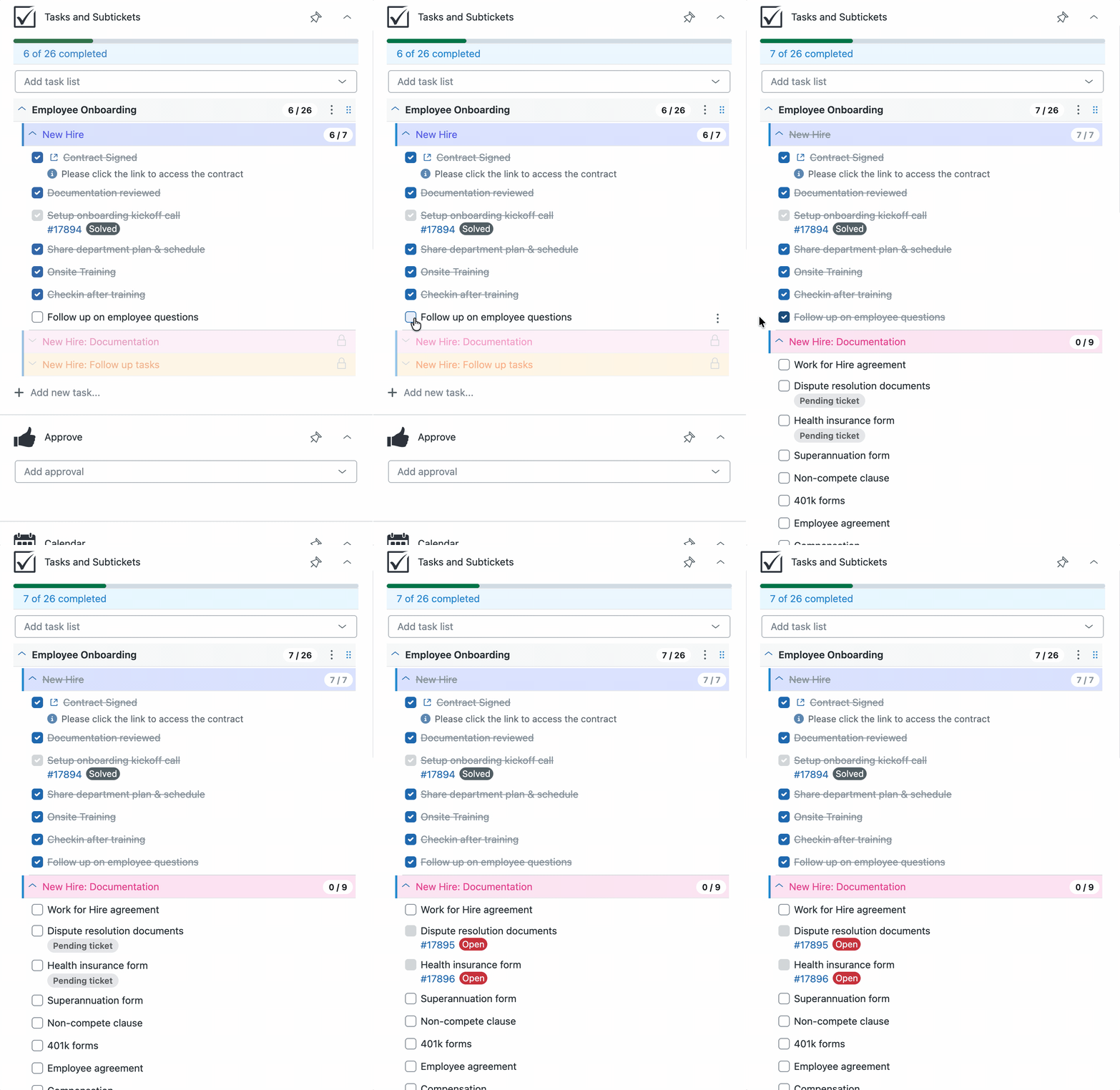
- Each subticket ticks off its parent task automatically as it is solved.
- Turn on Required so the parent cannot be solved until every subticket and task is done.
Rollup is what turns a set of related tickets into a process you can manage. One glance at the parent tells you whether the work is on track.
Get it in your Zendesk
The quickest way is the SweetHawk Suite: one click installs Tasks & Subtickets and the rest of the suite into your account, with a free trial and no credit card. You can also install Tasks & Subtickets on its own from the Marketplace.