Quick Guides / Survey
How do I run an employee satisfaction (eNPS) survey in Zendesk?
Short answer
In the Survey app, build a 0-10 eNPS survey, then send it to staff from an internal ticket using the snippet in a trigger email or a copied survey link.
How to do it with Survey
- Open the Survey app, go to Surveys, click Add survey, name it Employee NPS (eNPS) and click Save settings.
- Enter the eNPS question, for example 'How likely are you to recommend us as a place to work?', set Rating type to NPS (0-10), add a Reason question, then click Save question.
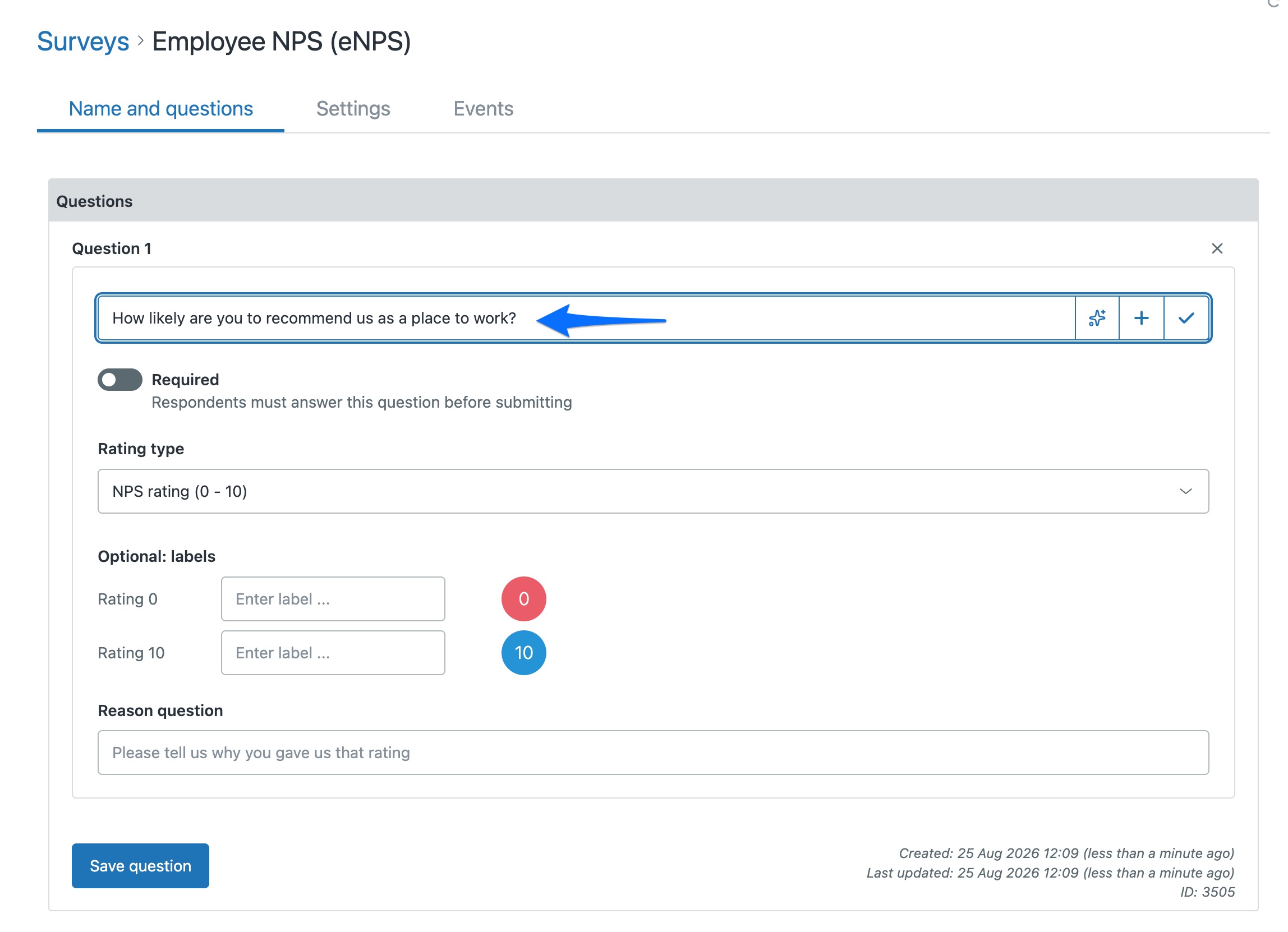
- Every question already has a Reason question at the bottom. Type the follow-up you want (for example, why they gave that score) and it appears under the rating; leave it blank and it stays hidden. You only need Add question at the top right if you want extra standalone questions.
- Send it off the back of staff tickets in your internal help desk. Create a Zendesk trigger whose condition is the requester's Organization is your own company, and add the survey snippet to its email so employees get the eNPS survey instead of your customer one. You can also copy the survey link from the Surveys list to share it directly.
- Map the answer to a ticket field so you can trend eNPS over time in Zendesk Explore.
Zendesk has no native employee survey, but the same engine that runs customer NPS runs eNPS just as well. Keeping it in Zendesk means the scores, comments and trends live next to your other feedback data, not in a separate tool to reconcile later.
Get it in your Zendesk
The quickest way is the SweetHawk Suite: one click installs Survey and the rest of the suite into your account, with a free trial and no credit card. You can also install Survey on its own from the Marketplace.