Quick Guides / Survey
How do I measure customer effort (CES) in Zendesk?
Short answer
Create a survey with an effort question on a 1-5 rating scale (very difficult to very easy) in the Survey app, send it right after resolution from a Zendesk trigger, and map the answer to a ticket field so CES shows in Explore.
How to do it with Survey
- Open the Survey app, go to Surveys, click Add survey, name it Customer effort (CES) and click Save settings.
- Enter your effort question, for example 'How easy was it to get your issue resolved today?'. Set Rating type to Star rating (1-5) and fill in the labels to match, for example Very difficult at 1 star and Very easy at 5 stars, then click Save question.
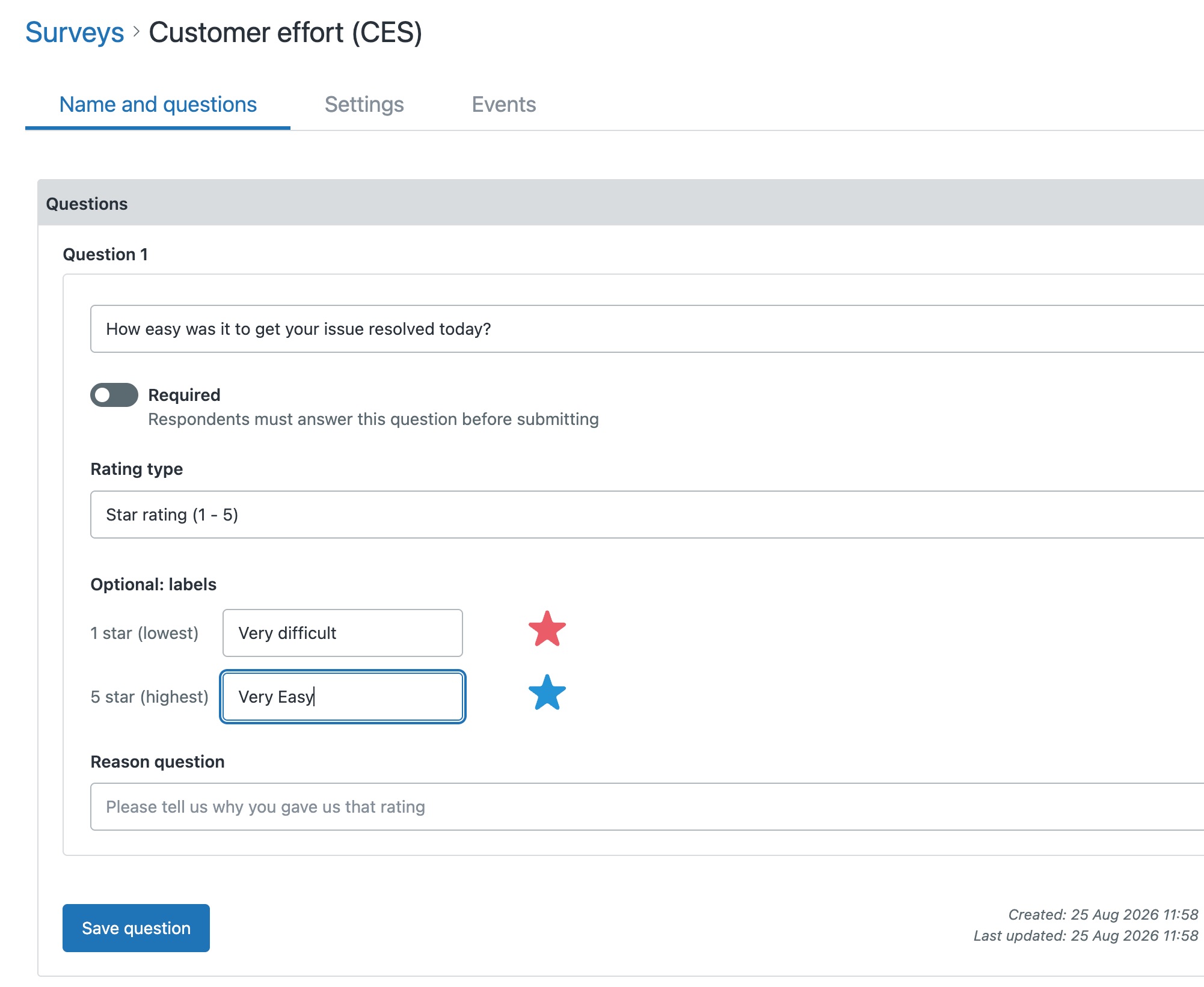
- Copy the snippet from the Surveys list, then in Zendesk Admin Center add it to a trigger or automation email that fires right after the ticket is resolved.
- Create a number ticket field for the score. A number field flows into Zendesk Explore automatically as a metric you can slice and dice, so prefer it over a drop-down (use a drop-down only if your question is a single select such as good or bad, rather than a rating). Then open the Events tab, add the Survey Completed event, add the ticket field and map the effort answer to it.
- With the score on the ticket as a number, Zendesk Explore trends CES over time automatically and breaks it down by channel, agent or product.
CES is a single effort question, usually asked right after a ticket is resolved. Here is how to run one in Zendesk with Survey.
Get it in your Zendesk
The quickest way is the SweetHawk Suite: one click installs Survey and the rest of the suite into your account, with a free trial and no credit card. You can also install Survey on its own from the Marketplace.