How do I pause the SLA clock while waiting on a customer in Zendesk?
Add a Pause trigger for the point when you're waiting on the customer, usually when the ticket moves to Pending, and a Resume trigger for when they reply. The timer keeps the time already logged and continues counting from where it left off.
How to do it with Timers
- In the Timers app admin, find your timer under Timer definitions, then click Create trigger in the Pause trigger column.
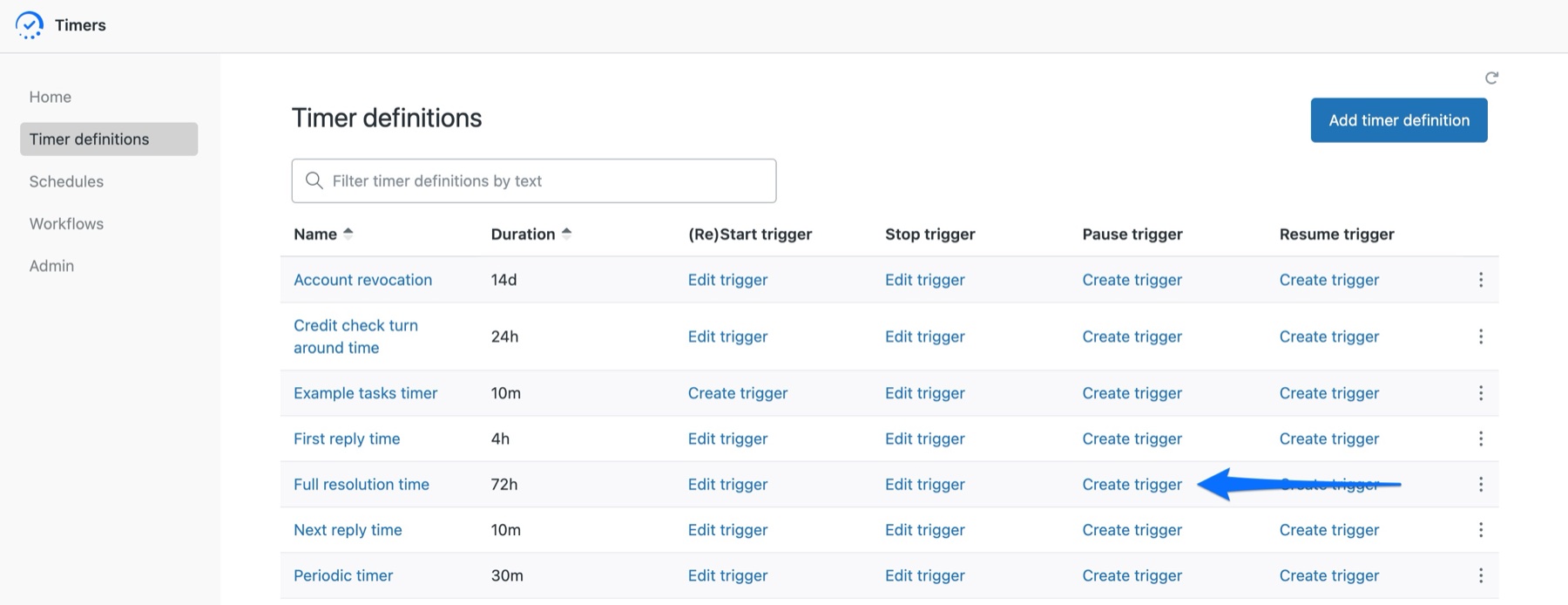
- Follow the link at the top right and set the condition for when the timer should pause. Typically, this is when the ticket status changes to Pending or an on-hold status. Save the trigger.
- Back in the Timer definitions list, click Create trigger under Resume trigger. Set the condition for when the customer replies, usually when the ticket status changes back to Open.
- Check the trigger order in Zendesk. Your start trigger needs to fire before the pause trigger, otherwise Zendesk may try to pause a timer that hasn't started yet.
- Test it on a dummy ticket. Move the ticket to Pending, wait a little, then reply as the customer and confirm that the timer resumes from where it stopped rather than starting again from zero.
This is useful when part of the resolution time is outside your team's control. If a customer takes three days to send a screenshot, for example, those three days don't need to count against your response target.
Pause and stop are different. Pausing keeps the time already logged, so the timer can continue from where it left off. Stopping ends the timer completely, and starting it again begins from zero.
The quickest way is the SweetHawk Suite: one click installs Timers and the rest of the suite into your account, with a free trial and no credit card. You can also install Timers on its own from the Marketplace.