One of the most installed apps on the Zendesk Apps Marketplace

Hide ticket fields in Zendesk
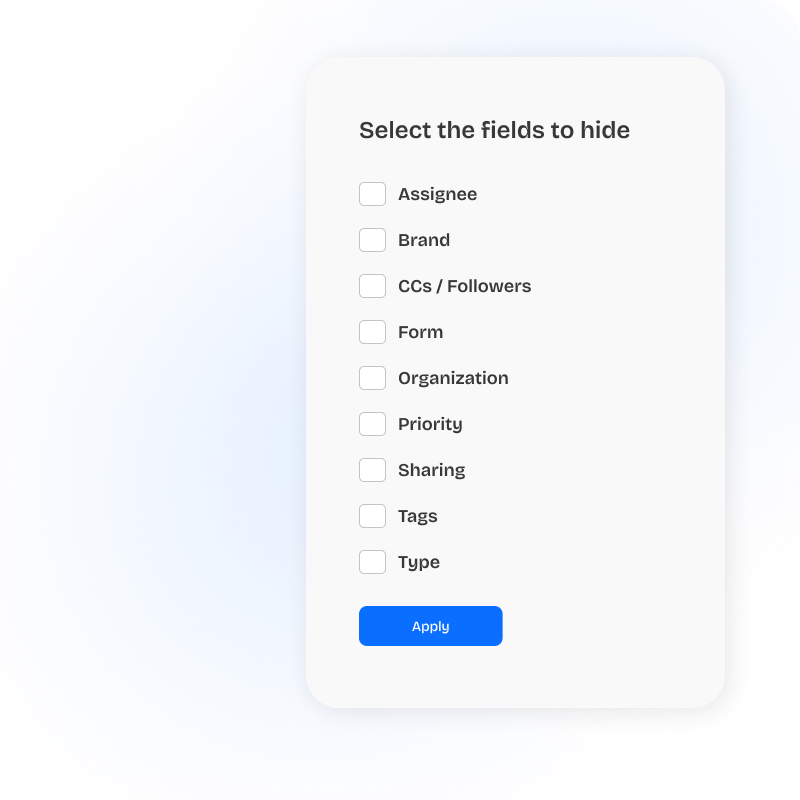
The simplest possible way to declutter the agent workspace. Free forever, works on any field, no rules engine to learn.
Free
Less clutter. Better focus.
The smallest possible solution when all you need is "don't show those five fields to tier 1." Install, pick the fields, pick the roles, save.
- Works on any field: system, custom, and fields exposed by other apps.
- Instant setup: pick fields, pick roles, save. No rules engine.
- Free forever: no agent-seat pricing, no trial expiry.
Free forever, no credit card required
When the logic gets conditional, reach for Field Rules
Hide Ticket Fields covers the simple case: hide a field from a role or group. When the need grows (show a field only when a checkbox is ticked, make it required conditionally, set one field's value based on another, or reach into the rest of the SweetHawk suite), Field Rules is the same team's next step up. Same conventions, no migration required.
- Hide Ticket Fields: "don't show these fields to these people"
- Field Rules: "show this field when X, require it when Y, auto-set it to Z"
- Field Rules also: auto-apply macros, start Timers, apply Tasks lists, kick off Approvals
Same form, different roles
Light agent view
Subject · Description · Priority
Tier 2 agent view
+ Root cause · Affected product · Customer tier
Finance view
+ Refund amount · Approval status · Invoice reference
What you get from SweetHawk completely changes what Zendesk can do for you.

Every time we've needed to extend the functionality of Zendesk, SweetHawk apps have been there.

The SweetHawk integration was very straightforward and allowed a high level of customization. We now have the power to determine what apps are needed for each specific group within MongoDB.