It's been a while since we released the new Reminders app. If you've been meaning to upgrade from the legacy version, here's what you'll get, and how to switch over without losing a single reminder.
Why upgrade from legacy Reminders
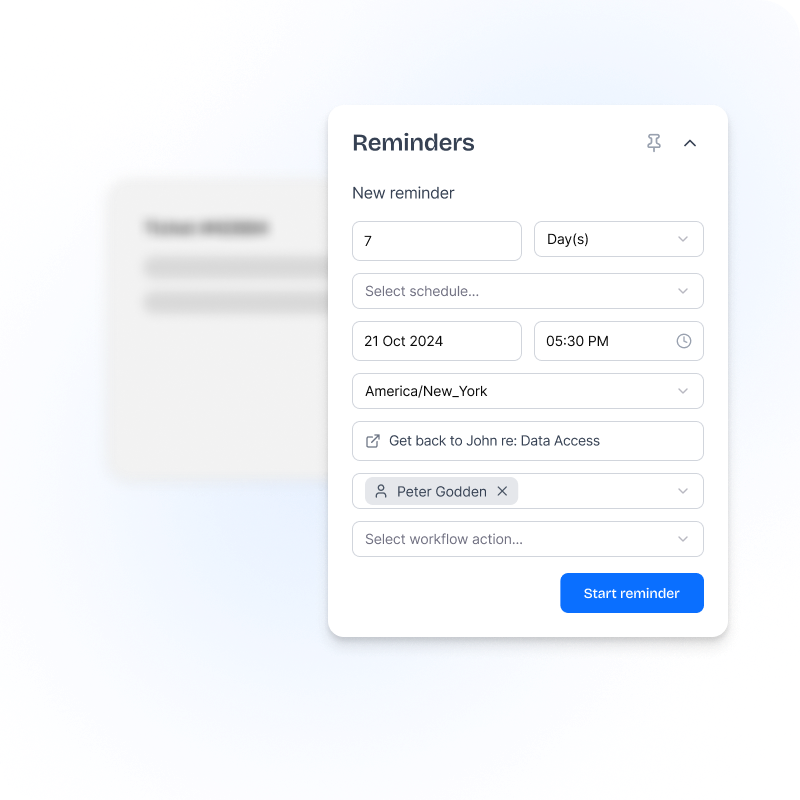
- Quick, or as detailed as you likeFor a quick one, pick how long and which schedule. Open More options to set the date, time zone, a message, who to remind and a workflow.
- Reminders that update the ticketAdd tags, comments or change the status when a reminder's coming up, due, changed or done.
- Team remindersAdd yourself to a teammate's reminder, or complete it for them.
- Manager viewAdmins and managers can see every reminder across the team, so nothing quietly slips.
- Search and filtersFind any reminder fast with search and filter options, instead of scrolling for it.
- Default time and durationSet it once and save clicks on every reminder you create.
Moving takes minutes
Run both apps side by side while you switch, and nothing your agents have already set gets lost.
- Install the new Reminders app. Install Reminders, enter your Zendesk subdomain and approve the install in Zendesk. Use the code NOCC at checkout for a free trial, no card needed.
- Start creating new reminders in the new app. Pick how long and which schedule, then click Start reminder. Need more? Click More options. Let reminders already set in the legacy app finish there.
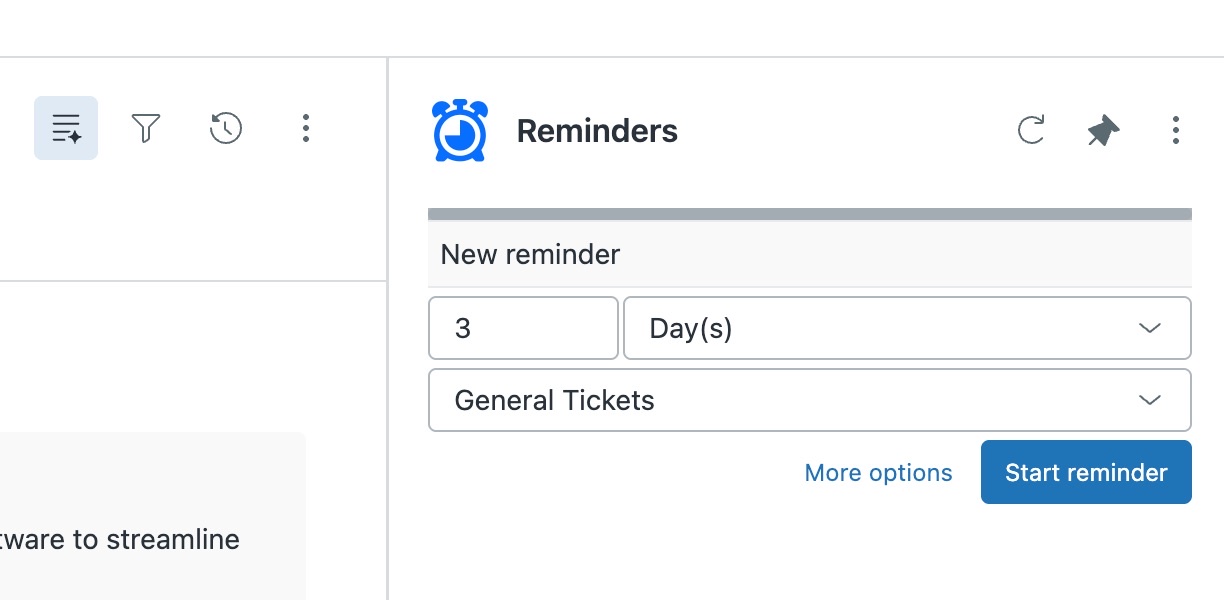
Quick: how long and which schedule 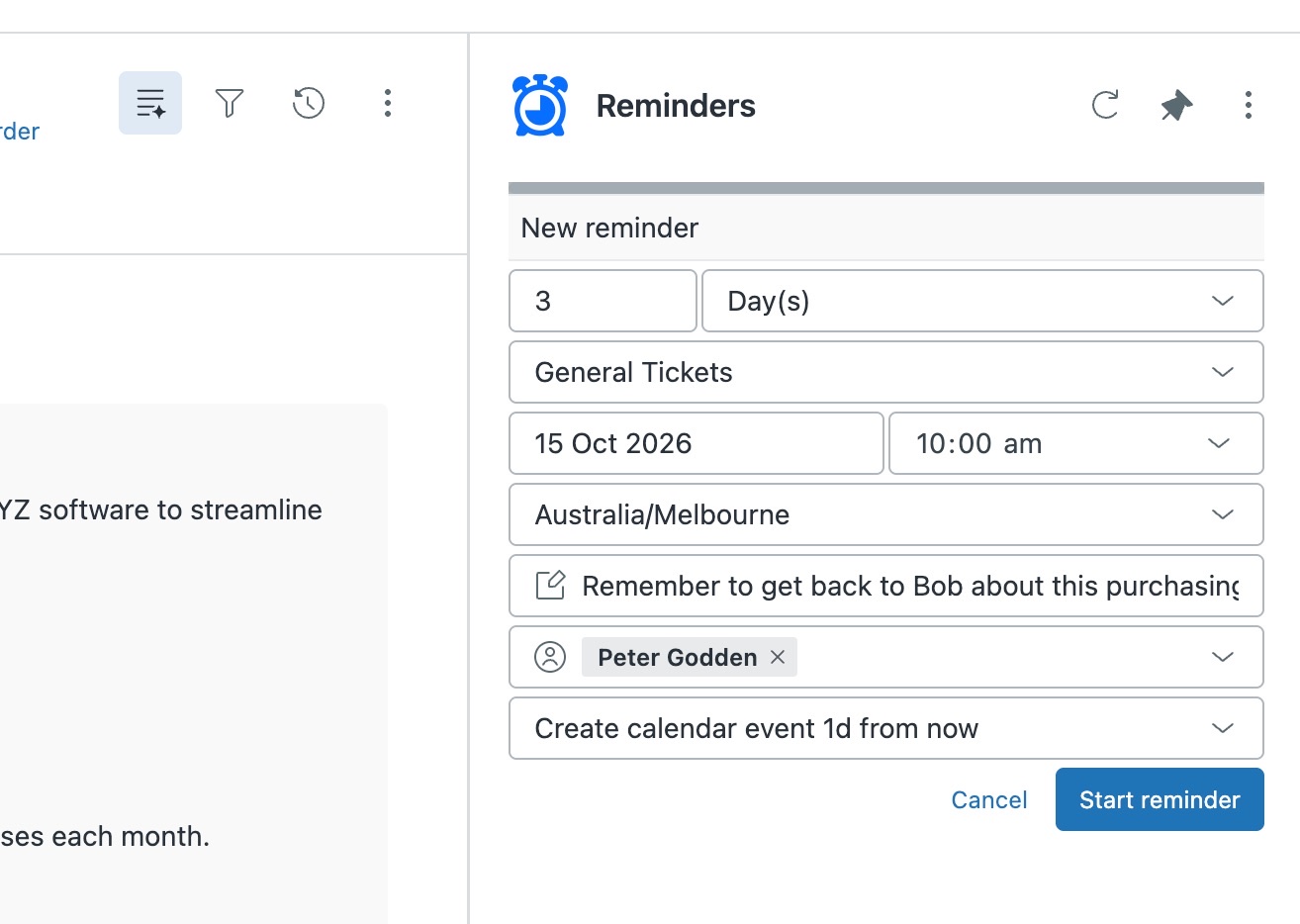
More options: time zone, message, people and workflow - Built an advanced workflow that creates reminders from a trigger? Most people won't have, so you can skip this. If you did, point that trigger at the new app's App - Reminders - Create or update webhook.
- Switch over. Once the old reminders are done, turn the legacy app off.
Common questions
Can I keep both versions installed?
Yes. You can run both versions side by side while you move things across. Once everything's moved, disable the old version.
Do I have to move to the new version?
We strongly recommend it. There's already a stack of time-saving features you won't find in the legacy apps, and every new feature we build goes exclusively into the new versions. Your current app might still be doing its job, but it could be doing a lot more for you.
We'll keep supporting the legacy versions while you make the move, so you don't have to switch overnight, but there's plenty worth switching for. The sooner you move, the sooner you get the benefits, and we're here to help you get started.
Read more about moving to the new versions
Need a hand moving?
Talk to us about anything to do with moving to the new version. We'll work through it with you and help you get set up. Create a support ticket or email support@sweethawk.com.
Ready? Install the new Reminders app free with the code NOCC.
Get the latest from SweetHawk
Product updates, new features, and Zendesk tips. No spam, unsubscribe any time.