The new Approve app has been out for a while now. If you've been wondering whether it's worth moving from Approve (Legacy), here's why we think it is, and how your approval definitions come across in a CSV.
Why upgrade from Approve (Legacy)
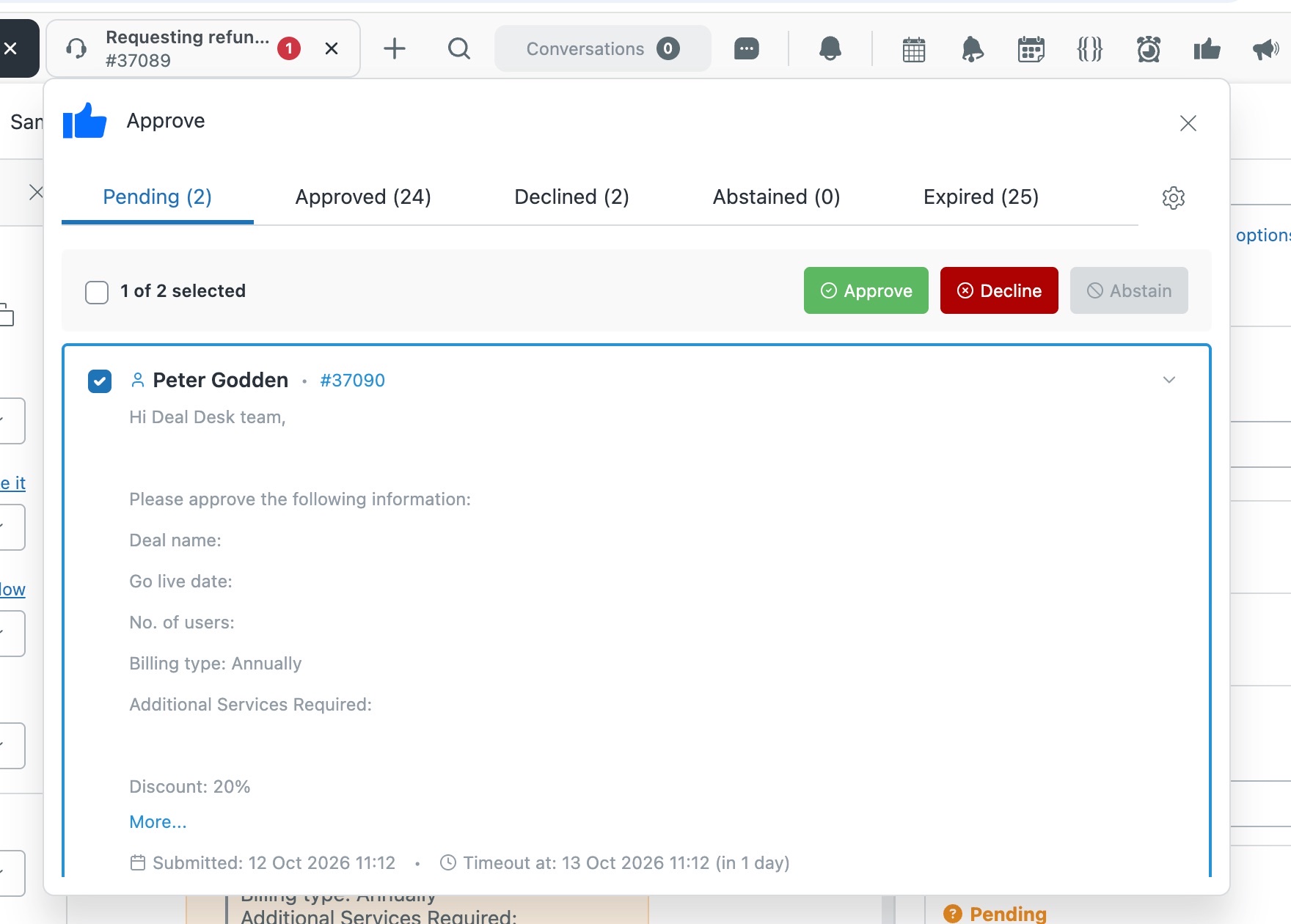
- A rebuilt approver portalApprove, decline or abstain in bulk from the Zendesk top bar, straight from the email, or on any phone.
- Approvals in SlackApprovers get the request in Slack and respond there.
- Share approval historyGive finance or auditors a read-only link, with no agent seat needed.
- Apps that work togetherWhen an approval's granted, apply the next task list or alert the team, straight from Approve.
- An AI Liquid assistantDescribe what you want on the ticket and it writes the Liquid for you.
- Clone, audit and diagnoseClone definitions in a click, see every change in the audit log, and fix problems yourself.
Moving is easy
On Approve (Legacy)? Your approval definitions import straight from a CSV.
- Install the new Approve app. Install Approve, enter your Zendesk subdomain and approve the install in Zendesk. Use the code NOCC at checkout for a free trial, no card needed.
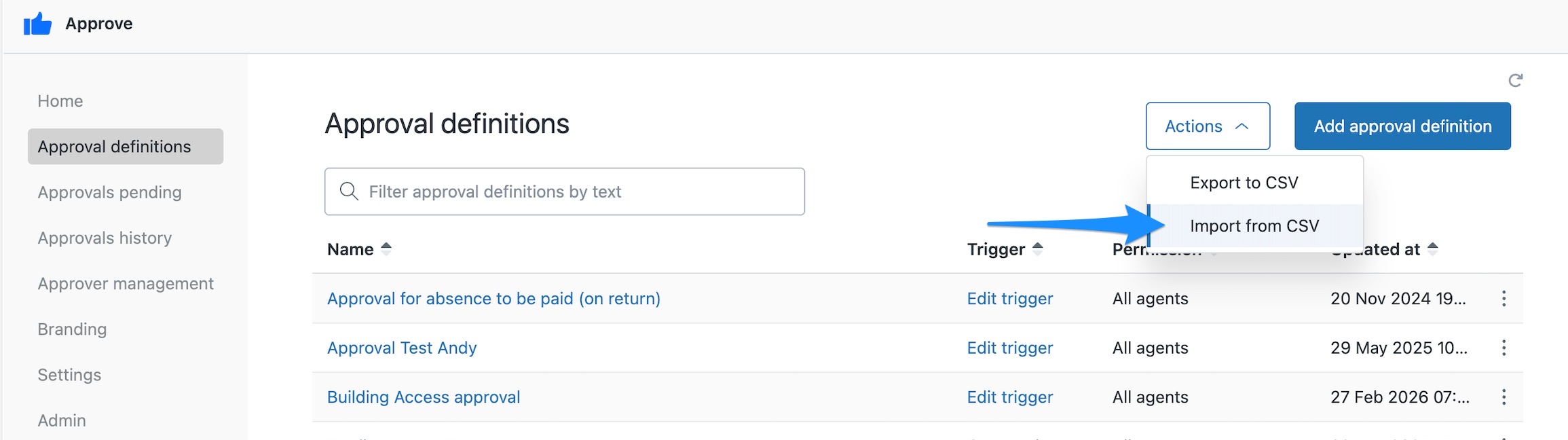
- Import your definitions. Export them as a CSV from Approve (Legacy), then go to Approval definitions and choose Actions > Import from CSV. Steps, approvers and escalations all come across.
- Set Permission on each definition. Imports stay hidden from agents until you do.
- Click Create trigger on each definition, then turn the legacy app off.
Common questions
Can I keep both versions installed?
Yes. You can run both versions side by side while you move things across. Once everything's moved, disable the old version.
Do I have to move to the new version?
We strongly recommend it. There's already a stack of time-saving features you won't find in the legacy apps, and every new feature we build goes exclusively into the new versions. Your current app might still be doing its job, but it could be doing a lot more for you.
We'll keep supporting the legacy versions while you make the move, so you don't have to switch overnight, but there's plenty worth switching for. The sooner you move, the sooner you get the benefits, and we're here to help you get started.
Read more about moving to the new versions
Need a hand moving?
Talk to us about anything to do with moving to the new version. We'll work through it with you and help you get set up. Create a support ticket or email support@sweethawk.com.
Ready? Install the new Approve app free with the code NOCC.

Get the latest from SweetHawk
Product updates, new features, and Zendesk tips. No spam, unsubscribe any time.