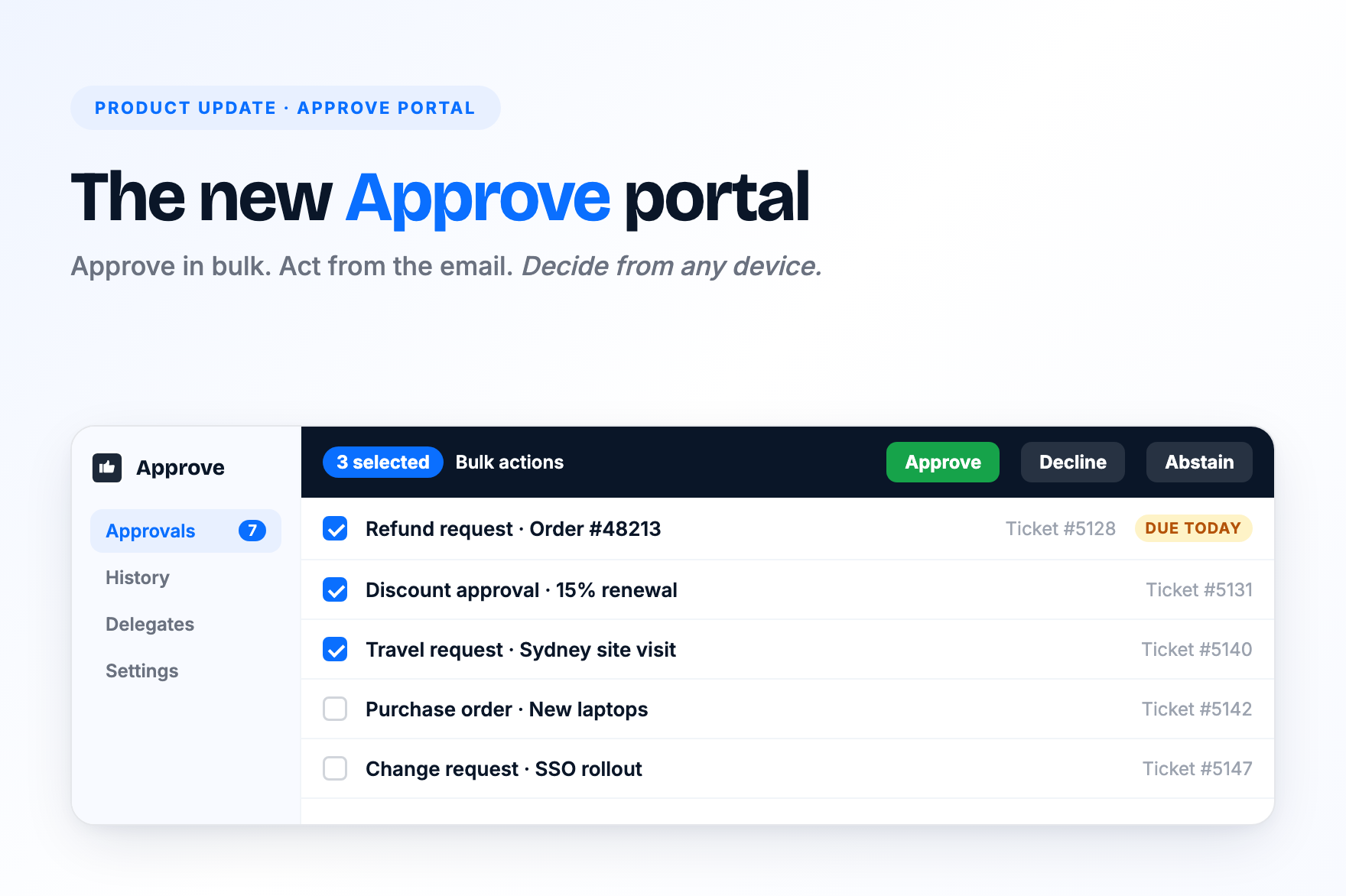
The Approve portal is where approvers review and decide on requests raised from Zendesk. We have rebuilt it from the ground up. It is faster to work through, clearer to read, and it works properly on a phone.
Here is what has changed.
Approve in bulk
Approvers with a long queue no longer need to open each request one at a time. Select several requests and approve, decline or abstain on all of them in one go.
- Tick the requests you want to action. The bulk action bar appears as soon as one is selected.
- Choose Approve, Decline or Abstain. Confirm once and the whole selection is actioned.
- Requests that need a comment still ask for one, so your approval policy is never bypassed.
Ten refund requests from the same week can now be cleared in a few seconds.
Improved notifications
Most approvers arrive at the portal from a notification. That path is now much smoother.
- Act from the email. Approval emails include Approve and Decline buttons. Click one and the portal opens on that request with your chosen action ready to go.
- Land on the right request. Links from email and Slack open the exact approval, not the top of the queue.
- Know when it is already done. If a request was actioned by someone else, cancelled or expired before you got to it, the portal tells you why instead of showing a blank set of buttons.
- Formatted messages everywhere. Approval messages written with the rich text editor now render properly in email, Slack and the PDF fallback for long messages.
A cleaner layout
The new layout puts your queue on one side and the request you are reviewing on the other. Nothing is hidden behind a click.
- Queue and detail side by side. Open a view and the first request is selected for you. Make a decision and the next one loads automatically.
- Comment inline. A comment box sits above the decision buttons. Type your note and press Approve or Decline. No extra confirmation step.
- See the whole workflow. Each request shows where it sits in the approval chain, who has responded, and the full comment history.
- Jump to the ticket. A clear "View Ticket" link opens the Zendesk ticket in a new tab. Links inside messages and comments are now visibly clickable.
Built for phones and tablets
Many approvers open requests from an email on their phone. The portal now adapts to the screen it is on.
- On phones and tablets the portal shows one screen at a time: the list, then the request, with a breadcrumb to go back.
- The decision buttons stay pinned to the bottom of the screen in portrait and landscape, so you can always act.
- Previous and next arrows let you move through the queue without returning to the list.
Getting started
The new portal is rolling out to Approve customers now. Existing approval definitions, delegates and history carry over with no setup required. If you would like it switched on for your account, contact support.

Get the latest from SweetHawk
Product updates, new features, and Zendesk tips. No spam, unsubscribe any time.