Approvals tend to stall when the person who needs to approve them never sees the request.
If your managers, finance team or change approvers spend most of their day in Microsoft Teams, an approval sitting in their inbox can be surprisingly easy to miss.
Now SweetHawk Approve can bring those requests directly into Teams. When an approval starts, each approver can receive a Microsoft Teams message with the details they need and a link straight to their approval request.
Bring the approval to the approver
Instead of asking people to keep checking email or log into Zendesk, Approve can send them a direct message in Teams as soon as their approval is ready.
That message can be simple:
Ticket #12345 needs your approval
Open approval request
Or you can include more context, such as the ticket subject, approval message, requester, change details or anything else they should see before making a decision.
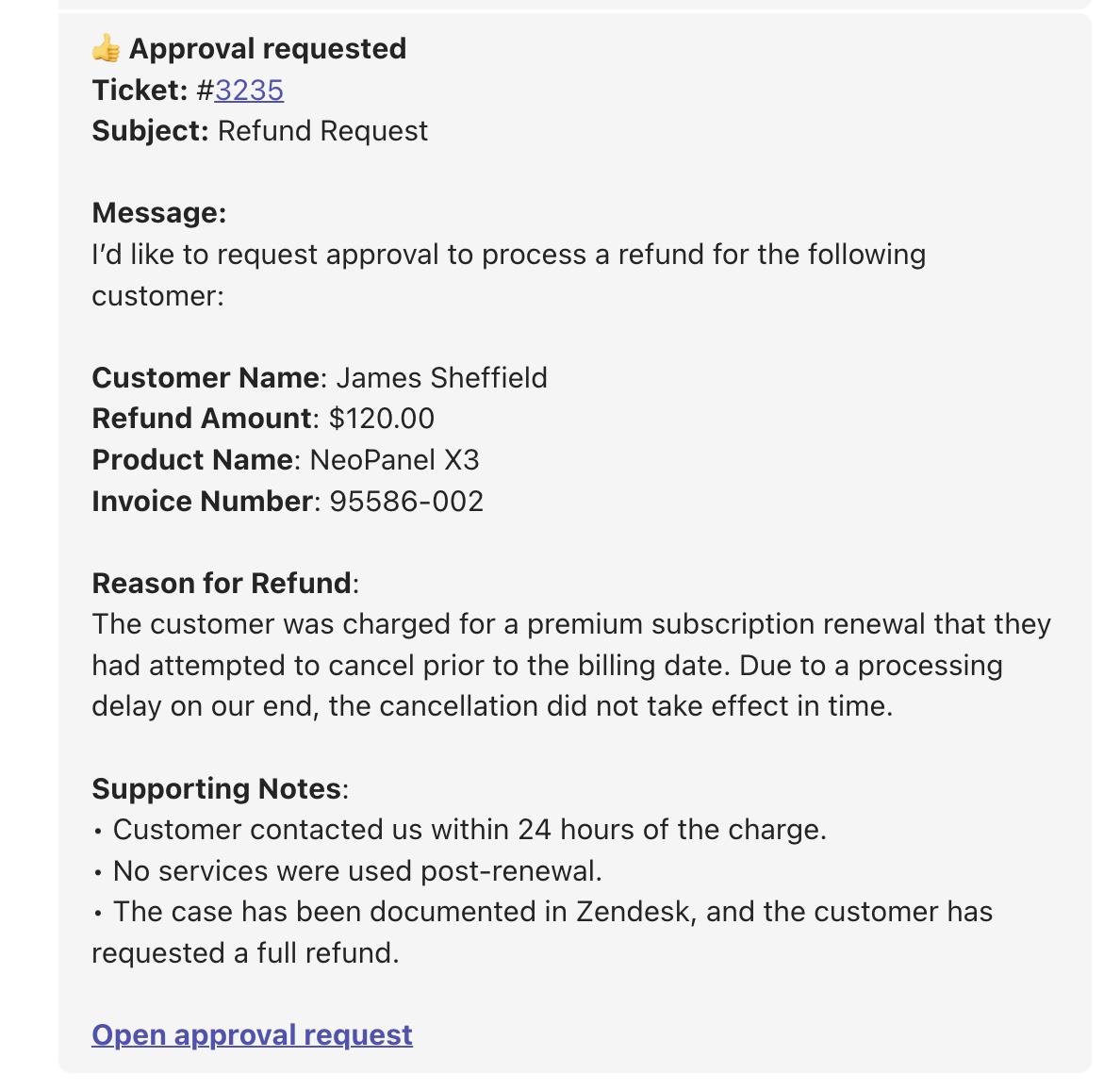
Clicking the link takes the approver directly to their request, where they can approve, decline or abstain as usual.
They don't need to be a Zendesk agent, and their response is still recorded against the ticket, so your approval history and audit trail stay in one place.
It works across the whole approval process
Teams notifications aren't limited to the first approval request. You can send a new message whenever the approval moves forward. For example:
- A new approval starts: everyone responsible for the first step gets notified.
- The approval reaches the next step: the next group of approvers receives their own message.
- A reminder or escalation fires: another Teams message can bring the request back to their attention.
So if an approval needs sign-off from a manager first and finance second, each person hears about it when the request actually reaches them.
Send a direct message or post to a channel
For most approval processes, you'll probably want to send each approver a direct message. That gives every person their own approval link and keeps the request visible alongside the rest of their Teams conversations.
However, if needed, you can also post approval notifications into a Teams channel. That can work well for shared decisions, such as a change advisory board or another group that reviews requests together.
How does it work?
The Teams integration uses Zendesk action flows together with the SweetHawk connector for Action Builder. You create the flow once, then Approve can trigger it whenever a request reaches a new approval step.
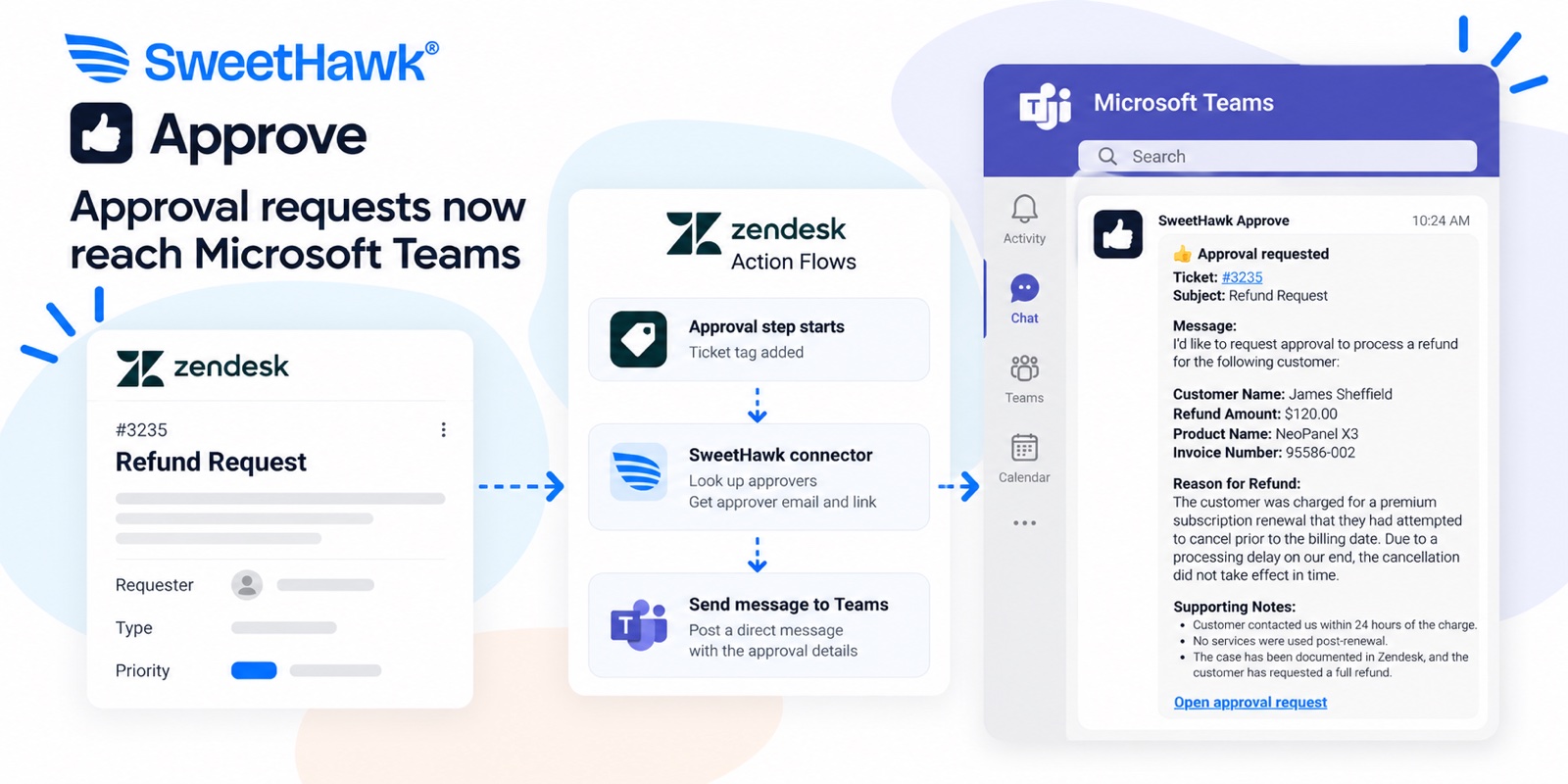
At a high level:
- Add a ticket tag when a new approval step begins.
- Use that tag to trigger a Zendesk action flow.
- Remove the trigger tag straight away, so the same flow can run again when the approval moves to the next step.
- Use SweetHawk's Look up Approvers action to retrieve the approvers, their email addresses and their individual approval links.
- Send each approver a Microsoft Teams direct message containing their link.
Two things to know before you start. First, to post in Teams, the flow uses a Microsoft account that you connect once when you build it, and every message is sent as that person. Connect your own account and approvers get a chat from you. Most teams use a separate Microsoft account with a name like "Approvals" so the messages come from a name people recognize. Second, Teams finds each approver by email, so the email address in Approve needs to match the one they use in Teams.
Want to set it up?
Our help center guide walks through the complete setup, including the Zendesk action flow, SweetHawk actions and example Teams messages: Send Approve requests to Microsoft Teams.
Approvals, wherever your people work
Approve can already reach people through email, Slack and the SweetHawk approval portal. Now Microsoft Teams is another option.
That means the people making the decision don't need to change how they work to approve a request. The approval comes to them, they make their decision, and Approve keeps the process moving in Zendesk.
New to SweetHawk Approve? See how Approve works, or book a time with us and we'll help you get your first approval process running.

Get the latest from SweetHawk
Product updates, new features, and Zendesk tips. No spam, unsubscribe any time.